KEEP
SKIP
KEPT
Open any local folder, sort chronologically by camera EXIF capture time, and tap
1 to Keep or 2 to Skip. Kept photos are moved directly
into a Keep subfolder with zero lag.
Runs locally inside Chrome, Edge, Brave, and Opera on Windows, macOS, and Linux.
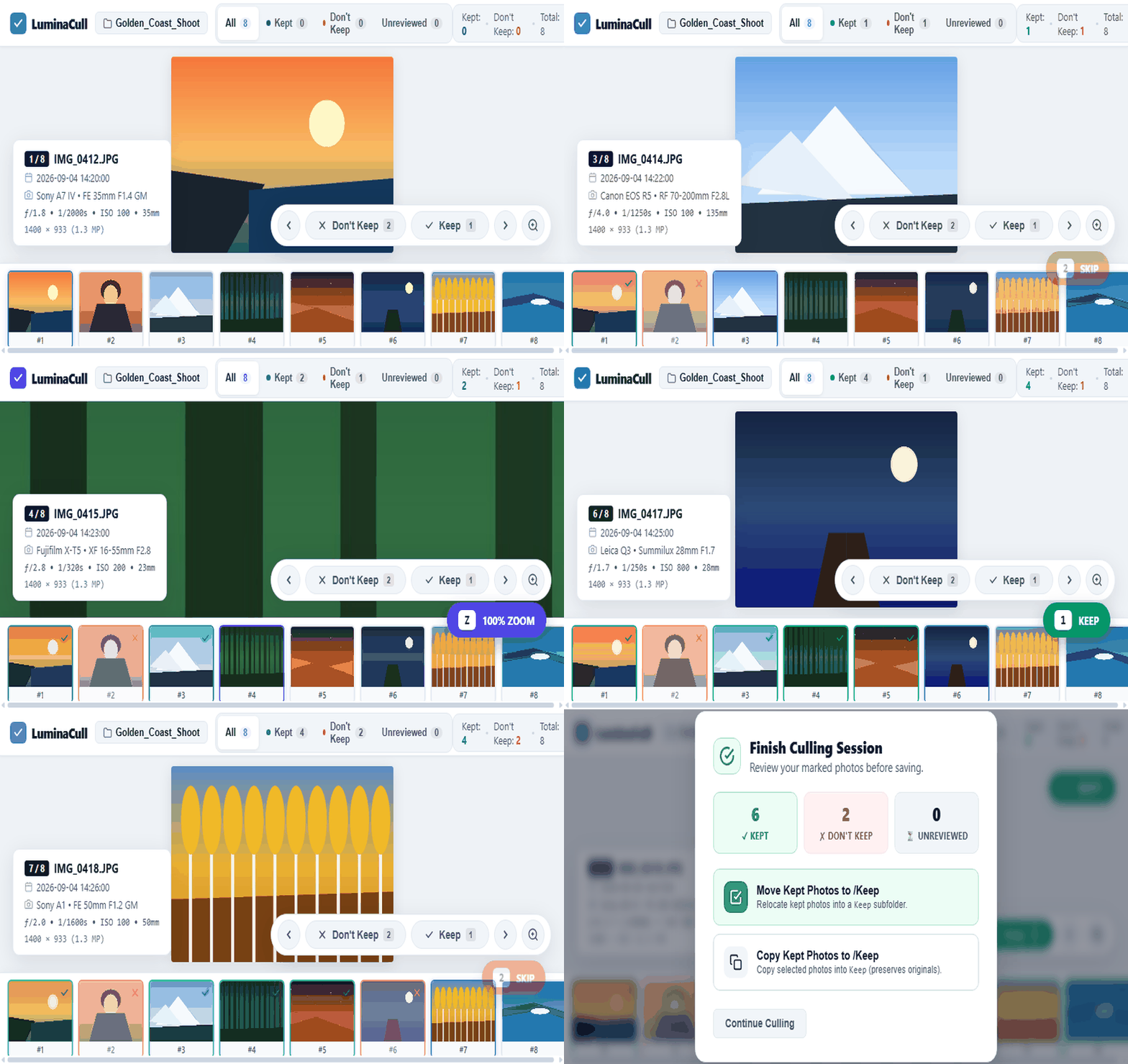
How LuminaCull lets you sort through 10,000 photos in minutes without cloud uploads or desktop installation:
Choose your photo directory using the native W3C File System Access API. Photos stay strictly on your local machine; nothing is uploaded.
LuminaCull reads DateTimeOriginal from image metadata headers and organizes your photos in chronological order, ignoring OS file copy dates.
Keep your hand on 1 (Keep) and 2 (Skip). Each decision auto-advances to the next image instantly with 0ms input lag.
When finished, move or copy kept photos straight into a Keep subfolder. Originals remain untouched in Copy mode.
Designed for high-speed two-key ergonomic workflow:
| Action | Primary Key | Alternative Keys | Behavior |
|---|---|---|---|
| Keep Photo | 1 | K • Space • ↑ | Marks photo as Kept and immediately advances to next |
| Don't Keep / Skip | 2 | J • X • Del • ↓ | Marks photo as Skipped and immediately advances to next |
| Reset / Unset | 0 | U • Backspace | Reverts decision back to Pending unreviewed |
| Navigate | → / ← | D / A | Move between photos without altering status |
| 1:1 Pixel Zoom | Z | Double-Click | Toggle 100% pixel loupe inspection, click and drag to pan |
| Fullscreen | F | — | Toggle distraction-free studio viewing mode |
Your photos never leave your hard drive. File handles are read locally inside your browser sandbox.
Recycled DOM filmstrip and sliding-window memory management prevent browser crashes even with massive folders.
Zero signups, no emails, no passwords, no subscriptions. Open the tool and start culling immediately.
/Keep subfolder or copy them (leaving all originals untouched).